EzeOne Business Automation Suite for MSME Industries: A Practical, Modular Path to Connected Manufacturing

How MSME manufacturers can automate sales, production, purchase, warehouse, service, dealers, leads, loyalty, HR and reporting—without changing everything at once
For an MSME manufacturer, business automation is no longer only about purchasing software.
It is about creating better control.
It is about reducing the time spent collecting updates from different departments.
It is about giving every employee a clearer workflow.
It is about connecting sales, dealers, production, purchase, inventory, warehouse, dispatch, service, leads, loyalty, HR, payroll and management reporting.
Most importantly, it is about making reliable business information available to decision-makers at the right time.
Many manufacturing companies have already digitised certain activities. They may use accounting software, an ERP, a CRM, spreadsheets, mobile applications, WhatsApp groups, cloud documents or department-specific tools.
However, digital tools do not automatically create a digitally connected organisation.
A sales team may use one application.
The purchase department may manage approvals through email or WhatsApp.
Production updates may be entered in a spreadsheet at the end of the shift.
Warehouse users may maintain separate inward and outward records.
Dealers may send orders through phone calls or messages.
Service complaints may be recorded in another system.
Management may receive consolidated reports only after several people manually prepare them.
Every department may be working digitally, but the organisation can still remain operationally disconnected.
That is the challenge the EzeOne Business Automation Suite for MSME industries is designed to address.
EzeOne brings multiple business workflows into one connected automation platform built around the practical requirements of MSME manufacturers, distributors, field teams, dealers, service teams, warehouse personnel, production users and management.
The objective is not to force an organisation to transform every process immediately.
The objective is to help the organisation automate the right process first, make it adoptable for users, establish measurable value and then gradually connect additional departments.
This modular approach makes business automation more practical, manageable and sustainable for MSME industries.
The Real Meaning of Affordable Automation for MSME Industries
When businesses hear the word “affordable,” they usually think only about software pricing.
Price is certainly important, particularly for a growing MSME. However, the real cost of automation is much broader than the licence fee or implementation amount.
An automation system also consumes:
- Management time
- Employee time
- Training effort
- Internal coordination
- Data preparation
- Process documentation
- Customisation effort
- Change-management capacity
- Implementation resources
- Technical support
- User confidence
A solution that appears inexpensive may become costly when it requires months of internal coordination, repeated data correction, excessive customisation and continuous dependence on external consultants.
Similarly, a powerful enterprise platform may offer hundreds of functions, but it may still be unsuitable for a particular MSME if the users cannot adopt it easily or the implementation process creates excessive operational pressure.
Therefore, affordable MSME automation should mean:
Financially manageable: The organisation should be able to begin without committing to an unnecessarily large transformation.
Resource-efficient: The system should not require the company to create a large internal technology team merely to operate it.
Time-efficient: Users should be able to learn and use the workflow without lengthy disruption to daily work.
Implementation-friendly: The deployment should be divided into practical stages rather than creating one massive change programme.
Adaptable to existing workflows: The software should understand how the company currently works and identify where improvement is required.
Scalable: The organisation should be able to add users, locations, departments, products and modules as the business grows.
Integration-ready: The company should be able to connect its existing ERP, SAP, Tally, Busy, CRM, accounting system, WhatsApp communication or other platforms where required.
This is the broader meaning of affordability that matters to MSME industries.
The right automation solution does not simply cost less. It reduces the time, resources, effort and organisational pressure required to achieve meaningful digital transformation.
Why Many MSME Automation Projects Struggle
A software project does not fail only because the technology is weak.
In many cases, the technology may be capable, but the implementation does not match the organisation’s readiness, workflow or user behaviour.
Several common challenges make automation difficult for MSME manufacturers.
1. Trying to automate everything in one go
Management may try to digitise sales, purchase, production, warehouse, HR, service and reporting at the same time.
Although the vision may be correct, changing too many processes together can create confusion.
Employees are expected to learn several new workflows.
Departments become dependent on each other’s data.
Master data is not ready.
Approvals are still being finalised.
Reports are requested before users have begun entering accurate information.
As a result, the implementation becomes heavy and the team loses confidence.
2. Selecting software before understanding the workflow
Every manufacturing company operates differently.
Even companies from the same industry may have different:
- Approval hierarchies
- Dealer structures
- Sales territories
- Production stages
- Product classifications
- Warehouse layouts
- Purchase processes
- Service networks
- Warranty policies
- Incentive structures
- Reporting requirements
Installing a standard application without mapping these processes can create a mismatch between the software and the actual work.
3. Focusing on features instead of adoption
A long feature list looks impressive during a software demonstration.
However, a feature is useful only when the intended user understands it, accepts it and uses it consistently.
The success of a sales automation system depends on whether field employees record attendance, visits, orders and follow-ups correctly.
The success of production software depends on whether supervisors update the actual production stage.
The success of a warehouse management system depends on whether inward, movement, picking and dispatch transactions are captured at the right time.
The success of a service system depends on whether technicians and service centres update tickets properly.
User adoption is therefore not a secondary activity. It is the foundation of automation success.
4. Recreating manual processes inside software
Digitisation should not merely convert a physical form into a digital form.
A company may replace a paper register with an online form but continue to follow the same delayed, unclear and unnecessary process.
Real automation requires questions such as:
- Is every field necessary?
- Who needs to approve this request?
- Can any approval be automated based on value or role?
- What information should be visible to the next department?
- What notification should be generated?
- What should happen when a request is delayed?
- Which report should be updated automatically?
- Can duplicate data entry be removed?
- Can the system validate information before submission?
The goal should be workflow improvement, not simply digital data entry.
5. Disconnected department-wise applications
A company may have several applications, but if those applications do not exchange information, users still perform manual coordination.
For example:
- A production requirement may not automatically create or support a purchase request.
- A goods receipt may not update warehouse stock.
- A sales order may not show the current dispatch status.
- A warranty registration may not connect with the product’s service history.
- A service ticket may not connect with spare-parts inventory.
- A dealer order may not reflect current pricing, schemes or outstanding information.
- A lead may not connect with field follow-up activities.
- Attendance data may not support salary calculation.
Department-wise software can digitise individual tasks, but connected automation creates organisational visibility.
6. Reports are designed after implementation
Many projects focus first on data-entry screens and discuss reports much later.
This is a major mistake.
Before implementing a workflow, management should define what it wants to measure.
For example:
- What is the expected turnaround time?
- Which approvals should be monitored?
- Which performance indicators matter?
- What should be visible by region, department, user or product?
- Which exceptions require immediate attention?
- What information should senior management see daily?
- Which report should be available weekly or monthly?
When reporting requirements are defined early, the system can capture the correct data from the beginning.
Business Automation is not the Same as Software Development
Software development is an important part of an automation project, but it is not the entire project.
Software development focuses on building screens, databases, applications, APIs, business rules, notifications and reports.
Business automation goes further.
It requires:
- Understanding how the organisation currently works
- Identifying manual dependencies and process gaps
- Mapping responsibilities across departments
- Simplifying the workflow
- Configuring or developing the right application
- Preparing master data
- Training users
- Testing the workflow with real scenarios
- Monitoring adoption
- Improving the process based on actual usage
A technically strong application can still fail if the business process is poorly understood.
At the same time, a practical application that closely matches user requirements can generate significant value even if the company begins with only one or two modules.
This is why EzeOne’s approach is centred on actual workflows rather than software deployment alone.
The objective is not to deliver login credentials and consider the implementation complete.
The objective is to make the application a functioning part of the client’s everyday operation.
EzeOne Automation Suite: Built Around MSME Manufacturing Workflows
The EzeOne Automation Suite brings together multiple automation capabilities covering customer acquisition, field operations, channel management, internal operations, production, procurement, warehouse, service, employee management and business intelligence.
The suite includes the following major solutions.
1. Sales Force Automation
A field sales team performs many activities every day:
- Marking attendance
- Planning routes
- Visiting distributors, dealers and retailers
- Recording meetings
- Creating enquiries
- Scheduling follow-ups
- Taking primary and secondary orders
- Sharing product information
- Collecting payments
- Submitting expenses
- Updating market activity
- Reporting competitor information
- Reviewing targets
When these activities depend on manual reporting, managers do not receive a clear or timely view of field execution.
The EzeOne Sales Force Automation system helps digitise the complete field sales cycle through mobile and web applications.
It can support:
- Geo-tagged attendance
- Optional selfie attendance
- Beat and journey planning
- Customer check-in and check-out
- Visit objectives and meeting notes
- Primary and secondary order booking
- Enquiry and lead management
- Follow-up scheduling
- Target tracking
- Expense and leave management
- Task assignment
- Surveys
- Product catalogues
- Announcements
- Customer ledgers
- Manager dashboards
- Territory-wise reporting
- User performance analysis
The purpose is not merely to track employees.
A well-designed SFA system gives field users the information they require and gives managers visibility without depending on repeated calls and manual reports.
The business can understand who is visiting the market, which customers are active, where orders are being generated, which follow-ups are pending and which territories require attention.
2. Dealer Management System
Dealers and distributors are critical to the growth of many manufacturing brands.
However, dealer operations are frequently managed through messages, calls, spreadsheets and manual coordination.
Common challenges include:
- Incomplete dealer information
- Delayed onboarding
- Incorrect pricing
- Lack of scheme visibility
- Order errors
- Unclear dispatch status
- Limited outstanding visibility
- Manual payment follow-up
- Difficulty measuring dealer performance
The EzeOne Dealer Management System centralises dealer onboarding, profiling, orders, schemes, communication, outstanding visibility and performance tracking.
It can support:
- Digital dealer and distributor onboarding
- KYC and GST document collection
- Approval-based activation
- Dealer classification
- Territory and hierarchy mapping
- Price-list management
- Discount and scheme validation
- Primary and secondary order flows
- Order approval
- Dispatch and delivery status
- Credit and outstanding visibility
- Ageing reports
- Payment reminders
- Dealer communication
- Support tickets
- Dealer performance dashboards
- Active and inactive dealer analysis
A connected Dealer Management System helps improve order accuracy, communication and channel visibility.
It also creates a structured digital relationship between the company and its sales network.
3. Loyalty and Rewards Management
In many industries, influencers such as electricians, plumbers, carpenters, painters, technicians, fabricators, contractors, mechanics, retailers and dealers influence purchase decisions.
A structured loyalty programme can help a brand recognise these influencers, reward their contribution and understand market activity.
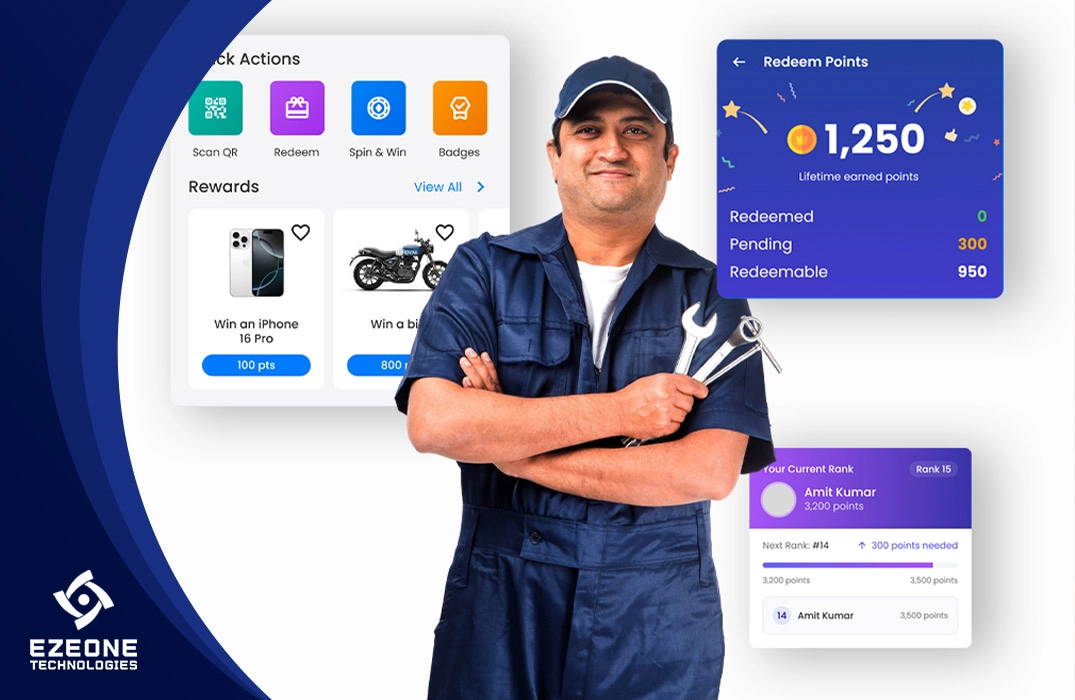
EzeOne’s Loyalty and Rewards solution can support:
- Influencer registration
- Dealer or retailer registration
- Validation and approval
- QR-code generation
- Product-wise QR scanning
- Invoice-based earning
- Configurable points rules
- Bonus points
- Milestones
- Campaigns
- Digital wallet
- Earn-and-burn statement
- UPI or bank payouts
- Gift vouchers
- Physical rewards
- Rewards catalogue
- Badges
- Leaderboards
- Surveys
- Notifications
- Support tickets
- Fraud and duplicate-scan controls
- Product-wise and region-wise analytics
The loyalty system can also work as a source of market intelligence.
A manufacturer can understand which products are being scanned, where demand is developing, which influencers are active, which campaigns are performing and how reward liability is changing.
When integrated with product QR identity, warranty and service, the QR code can become much more than a points mechanism. It can become a digital identity for the product.
4. Lead Management and CRM Automation
Businesses receive enquiries from many sources:
- Websites
- Social media
- Paid advertisements
- Landing pages
- Exhibitions
- Phone calls
- B2B portals
- Dealer references
- Influencer references
- Manual market activity
Without a central lead management system, enquiries may remain inside individual inboxes, spreadsheets or mobile phones.
The EzeOne Lead Management System helps businesses capture, assign, track and convert enquiries through a structured process.
It can support:
- Multi-source lead capture
- Lead assignment
- Pipeline stages
- Qualification
- Follow-up reminders
- Calling history
- Notes and attachments
- Quotations
- Won and lost status
- Lost-reason analysis
- Source-wise conversion
- User-wise performance
- Region-wise reporting
- Lead ageing
- Management dashboards
The most important objective is to prevent enquiry leakage.
Every lead should have an owner, a current status, a next action and a complete activity history.
5. Production Management
Production is one of the most critical and complex areas of a manufacturing organisation.
Many MSME factories still receive production visibility only after the shift ends or after a supervisor manually prepares a report.
That means management may not know:
- Which job is currently running
- Which machine is being used
- Which operator or supervisor is responsible
- Which stage is delayed
- How much quantity is completed
- How much is rejected
- Whether material is available
- Whether rework is pending
- When finished goods will be ready
The EzeOne Production Management solution is designed to connect product-wise processes, machines, departments, supervisors, material requirements, quality checks and finished-goods movement.
Depending on the manufacturing workflow, it can support:
- Product master
- Process routing
- Machine allocation
- Department allocation
- Supervisor assignment
- Production planning
- Job creation
- Shift-wise execution
- Stage-wise quantity updates
- Raw-material requirements
- Material requests
- Material issue
- Quality checklists
- Rejection capture
- Rework management
- Finished-goods transfer
- Production status dashboards
- Machine-wise reporting
- Product-wise production analysis
- Pending-stage analysis
- Production-versus-plan reporting
The objective is to create real-time or near-real-time visibility rather than relying only on end-of-shift reporting.
A production system becomes even more valuable when connected with purchase, warehouse, inventory, quality and dispatch.
6. Purchase Management
Procurement connects internal demand with external suppliers.
A material requirement may begin in production, maintenance, administration or another department. It then moves through approval, vendor enquiry, quotation collection, comparison, purchase order, material receipt and inventory update.
When this process is managed manually, several problems can occur:
- Requests are missed
- Approvals are delayed
- Quotations are difficult to compare
- Vendor communication remains scattered
- Purchase orders are created late
- Material status is unclear
- Received quantity does not match ordered quantity
- GRN updates are delayed
- Production waits for material
The EzeOne Purchase Management solution can support:
- Vendor onboarding
- Vendor master management
- Purchase requisitions
- Department-wise requests
- Production-linked material requests
- Multi-level approvals
- Amount-based approval logic
- Vendor quotation requests
- Online quotation submission
- Quotation comparison
- Vendor selection
- Purchase-order generation
- Purchase-order approvals
- Vendor communication
- Delivery tracking
- Gate entry
- Material receiving
- GRN mapping
- OCR-based document reading
- Inventory updates
- Purchase dashboards
- Approval ageing
- Vendor-performance reports
By connecting production requirements, purchase approvals, vendor quotations, goods receipt and warehouse stock, the organisation can reduce material-related delays and improve procurement transparency.
7. Warehouse Management System
Warehouse accuracy directly affects production, sales, purchase, dispatch and customer service.
If stock information is incorrect, every connected department makes decisions using incorrect information.
The EzeOne Warehouse Management System can help manage:
- Inward material
- Goods receipt
- Barcode and QR scanning
- Rack and bin locations
- Stock movement
- Multi-warehouse inventory
- Picking
- Packing
- Dispatch planning
- Delivery updates
- Stock transfer
- Replenishment
- Stock audit
- Returns
- Stock ageing
- Inventory reports
The system creates visibility at location, product, warehouse and transaction levels.
Users can understand:
- What stock is available
- Where the material is located
- What quantity is reserved
- What is awaiting quality approval
- What has been picked
- What is ready for dispatch
- What has been transferred
- Which items are ageing
- Which stock requires replenishment
A connected WMS can also support production material issues, spare-parts management, dealer orders, dispatch and ERP integration.
8. Warranty and Service Management
The customer relationship does not end when the product is sold.
For many manufacturers, after-sales service has a direct influence on brand trust, repeat purchases and dealer confidence.
The EzeOne Warranty and Service Management solution can support the complete post-sale workflow:
- Product registration
- Digital warranty activation
- Invoice upload
- Serial-number validation
- Complaint registration
- Call-centre ticket creation
- Ticket categorisation
- Priority and SLA
- Warranty validation
- Technician allocation
- Service-centre allocation
- Visit scheduling
- Technician check-in and check-out
- Photos and job notes
- Spare-parts requests
- Spare-parts dispatch
- Warranty approval
- Out-of-warranty estimates
- Paid repair billing
- OTP or signature closure
- Customer feedback
- Service history
- Outsourced service-centre settlement
- Product-failure analytics
- Technician-performance reports
A connected service platform gives the customer timely updates while giving management visibility into turnaround time, repeated complaints, product defects, technician productivity, spare-parts usage and service quality.
9. Visitor and Gate Management
Manufacturing facilities regularly receive:
- Customers
- Vendors
- Job workers
- Consultants
- Service providers
- Interview candidates
- Delivery personnel
- Contractors
- Government representatives
- Other visitors
Manual registers provide limited control and make reporting difficult.
The EzeOne Visitor Management solution can digitise:
- Visitor pre-registration
- Host details
- Visit purpose
- Identity information
- Entry approval
- QR-based entry
- Visitor pass
- Check-in and check-out
- Vehicle entry
- Material inward and outward references
- Department-wise visitor reporting
- Security records
- Emergency visitor visibility
This creates faster reception handling and more structured gate records.
10. Exhibition Connect
Exhibitions generate valuable enquiries, but many businesses lose opportunities after the event.
Business cards are collected.
Visitor details are entered into spreadsheets.
Sales teams receive incomplete information.
Follow-ups begin after several days.
Management cannot clearly measure event performance.
EzeOne Exhibition Connect can capture:
- Visitor information
- Product interest
- Conversation notes
- Location and source
- Salesperson interaction
- Required follow-up
- Documents and photographs
- Event-specific classification
The captured enquiry can then move directly into the Lead Management System for assignment, follow-up and conversion tracking.
This helps businesses evaluate exhibition return, response time, product interest and final conversion.
11. HR, Attendance and Payroll Management
Employee information is connected with several daily activities.
Attendance influences salary.
Leave influences availability.
Incentives may depend on sales or production performance.
Travel and expenses require approval.
Advances and deductions affect payroll.
EzeOne’s HR and Payroll capabilities can support:
- Employee master
- Attendance
- Geo attendance
- Face-recognition attendance
- Leave
- Holiday and weekly-off rules
- Salary structure
- Working-day calculation
- Late and half-day policies
- PF and ESI
- Incentives
- Advances
- EMI deductions
- TA and DA
- Expense integration
- Salary calculation
- Payroll reports
- Payslips
- Employee-wise summaries
When attendance, field activity and payroll are connected, the organisation can reduce repetitive calculations and improve transparency.
12. Communication, Calling and Task Management
Business activities generate communication.
A lead requires a follow-up.
A service complaint requires a customer update.
A purchase order requires vendor communication.
An approval requires a notification.
A task requires a deadline.
A dealer requires a scheme update.
EzeOne can support these requirements through capabilities such as:
- Smart Calling
- Call logs
- IVR integration
- Call recording, where configured and permitted
- Follow-up creation
- AI Calling Assistant
- WhatsApp communication
- SMS and email notifications
- Internal Team Messenger
- Task assignment
- KPI tracking
- Announcements
- Escalations
- Reminder workflows
The purpose is to connect communication with the actual business record.
A call should be linked with the lead, customer, dealer or service ticket.
A message should be generated from a workflow event.
A task should have an owner and due date.
A missed activity should become visible to the responsible manager.
The Most Important Advantage: Start with One Module and Grow Gradually
Many MSME manufacturers delay automation because they believe that digital transformation requires changing the complete organisation at once.
That is not necessary.
EzeOne supports a modular adoption approach.
A company can begin with the workflow creating the greatest immediate difficulty.
For example:
- A company losing enquiries can start with Lead Management.
- A business requiring better field visibility can begin with Sales Force Automation.
- A manufacturer experiencing inventory mismatch can start with Warehouse Management.
- A company with delayed production information can begin with Production Management.
- A brand with a large dealer network can start with Dealer Management.
- A business facing service complaints can begin with Warranty and Service Management.
- A company dependent on influencers can start with Loyalty and Rewards.
- A manufacturer facing approval delays can start with Purchase Management.
The first module becomes the beginning of the automation journey.
Once users understand the workflow and management begins receiving useful reports, the organisation can introduce the next connected module.
For example:
Stage 1: Sales Force Automation
The company begins with attendance, visits, orders and follow-ups.
Stage 2: Dealer Management
Dealer orders, pricing, schemes, dispatch status and outstanding visibility are connected.
Stage 3: Lead Management
Website, exhibition and marketing enquiries are brought into the same sales ecosystem.
Stage 4: Warehouse Management
Stock, picking and dispatch are connected with dealer and sales orders.
Stage 5: Production and Purchase
Production requirements, material requests, purchase approvals, goods receipt and inventory are connected.
Stage 6: Warranty, Service and Loyalty
Product QR, warranty registration, complaints, technician workflows and influencer rewards are introduced.
Stage 7: HR, Payroll and Management Intelligence
Employee data, performance KPIs, dashboards and cross-department reporting are expanded.
This journey may differ for every organisation.
The key principle is simple:
Automation should follow business priority and organisational readiness.
Gradual Adoption Does Not Mean Disconnected Adoption
A modular implementation should not create new software silos.
Each EzeOne module is designed as part of a connected automation ecosystem.
Therefore, a company can implement modules gradually while maintaining a common technology direction.
This creates several advantages:
- Common user and role structure
- Connected master data
- Consistent approval logic
- Shared customer and product information
- Unified reports
- Common notifications
- Reduced duplicate entry
- Easier module expansion
- Centralised management visibility
- One technology partner
The business does not need to open several unrelated dashboards to understand its operation.
Management can review important information through a connected interface based on user role and responsibility.
A senior manager may see company-wide performance.
A sales manager may see attendance, visits, orders and follow-ups.
A purchase manager may see requisitions, quotations, approvals and purchase orders.
A production manager may see plan, stage, output, rejection and delay.
A warehouse manager may see inward, stock, locations, picking and dispatch.
A service manager may see tickets, SLA, technicians and spare parts.
The platform remains connected while access remains role-based.
Dashboards Should Help Management Decide, Not Merely Display Data
Many systems collect large quantities of data.
But data collection alone does not improve a business.
The information must answer real management questions.
For example:
Sales questions
- Which territory is below target?
- Which salesperson has low productive visits?
- Which customers have not been visited?
- Which orders are awaiting approval?
- Which follow-ups are overdue?
- Which products are selling in each region?
Dealer questions
- Which dealers are active?
- Which dealers have stopped ordering?
- Which schemes are generating results?
- Which dealers have high outstanding amounts?
- Which territories require new dealers?
Lead questions
- Which source generates qualified leads?
- What is the average response time?
- Which leads are ageing?
- Why are opportunities being lost?
- Which user has the best conversion rate?
Production questions
- Which production stage is delayed?
- Which machine is underutilised?
- Which job requires material?
- Where is rejection increasing?
- When will finished goods be ready?
Purchase questions
- Which requisitions are pending?
- Which approval level is causing delay?
- Which vendors have not submitted quotations?
- Which purchase orders are overdue?
- Which materials may affect production?
Warehouse questions
- What stock is available?
- Which items are below the minimum level?
- Which materials are ageing?
- Which orders are ready for dispatch?
- Where are stock mismatches occurring?
Service questions
- Which complaints have crossed SLA?
- Which products have repeated failures?
- Which technician has a high revisit rate?
- Which spare parts are frequently consumed?
- Which region has a higher complaint volume?
The EzeOne reporting approach focuses on:
- Live dashboards
- Role-based KPIs
- Dynamic reports
- Pivot views
- Filters
- Drill-down analysis
- Exports
- Exception reports
- Ageing reports
- Trend analysis
- Product-wise insights
- Territory-wise insights
- User-wise performance
- Management summaries
A dashboard should not become a decorative screen.
It should show what is performing well, what is delayed, what requires attention and where management should take action.
EzeOne’s Implementation Approach
The difference between software installation and successful automation lies in implementation.
EzeOne follows an implementation-oriented approach that can include the following stages.
1. Requirement and workflow understanding
The first step is to understand:
- How the process currently works
- Which users are involved
- What information is captured
- Where approvals occur
- What causes delays
- Which reports are prepared
- What management expects
- Which system currently stores the data
- Where integration may be required
This stage ensures that the team does not begin with assumptions.
2. Process mapping
The current workflow is mapped from initiation to closure.
For example, a purchase process may be mapped as:
Requirement → Requisition → Approval → Vendor Enquiry → Quotation → Comparison → Vendor Finalisation → Purchase Order → Delivery → Gate Entry → GRN → Inventory
The future digital workflow is then designed with clear statuses, responsibilities and notifications.
3. Gap identification and process improvement
Not every existing step needs to be copied.
The team identifies:
- Duplicate entries
- Unnecessary approvals
- Missing validations
- Unclear responsibilities
- Delayed communication
- Manual calculations
- Reporting gaps
- Integration opportunities
This helps create a better workflow rather than digitising an inefficient process.
4. Configuration and customisation
The system is configured according to:
- Organisation structure
- Roles
- Hierarchies
- Departments
- Products
- Customers
- Dealers
- Vendors
- Territories
- Approval rules
- Statuses
- Notifications
- Reports
- Branding
Customisation is undertaken where the business requirement genuinely needs a workflow beyond the standard configuration.
5. Master-data preparation
Automation depends on accurate master data.
Typical masters may include:
- Employees
- Customers
- Dealers
- Distributors
- Retailers
- Influencers
- Vendors
- Products
- Product categories
- Items
- Warehouses
- Locations
- Territories
- Price lists
- Schemes
- Machines
- Processes
- Service centres
- Technicians
The implementation team works with the client to validate and structure this information.
6. Testing with real business scenarios
Testing should not be limited to checking whether a button works.
The team should test actual situations, including:
- Correct transactions
- Incorrect information
- Rejections
- Resubmissions
- Missing documents
- Approval delays
- Stock shortages
- Partial quantities
- Duplicate records
- Escalations
- Role restrictions
- Integration failures
This creates a more dependable system before wider adoption.
7. User training
Different users require different training.
Management does not need the same training as a field salesperson.
A production supervisor does not need the same session as a purchase approver.
Training can be organised around user roles and actual tasks.
It may include:
- Live demonstrations
- Process documents
- Screenshots
- Videos
- Step-by-step guides
- Practice transactions
- Question-and-answer sessions
- On-site support where required
8. Controlled go-live
Instead of launching everything together, the module may begin with:
- One department
- One location
- One team
- One product category
- One region
- A selected group of users
The pilot helps identify practical challenges before wider rollout.
9. Adoption monitoring
After go-live, the team can monitor:
- Login activity
- Transaction completion
- Missing updates
- User errors
- Delayed approvals
- Incorrect master data
- Report accuracy
- User feedback
This stage is essential because some challenges become visible only during actual usage.
10. Continuous improvement
Business requirements change.
New products are introduced.
New approval rules are created.
New locations open.
Management requests new reports.
Integrations evolve.
Therefore, implementation should not be treated as a one-time event.
EzeOne continues to study genuine operational requirements and improve the solution accordingly.
Integration with SAP, ERP, Tally, Busy, CRM and Existing Systems
Many MSME companies already use an accounting or ERP application.
Introducing EzeOne does not necessarily mean replacing every existing system.
EzeOne can operate as an automation and workflow layer around existing applications, depending on integration feasibility and available APIs.
Possible integrations may include:
- Customer master
- Vendor master
- Item master
- Product master
- Price lists
- Stock availability
- Sales orders
- Purchase orders
- Invoices
- Outstanding balances
- Payment status
- Dispatch status
- Goods receipt
- Inventory transactions
- Employee records
- CRM information
This enables companies to retain systems that are already working well while extending automation to field users, dealers, production teams, warehouse users, service personnel and other operational functions.
The objective is not replacement for the sake of replacement.
The objective is better information flow.
What is New: Building a Future-Ready MSME Automation Platform
Automation requirements are continuously evolving.
Businesses now expect software to do more than record transactions.
They expect systems to:
- Capture data automatically
- Identify exceptions
- Recommend actions
- Communicate with users
- Reduce repetitive work
- Provide predictive insights
- Connect physical products with digital identity
- Support faster decisions
EzeOne continues to expand the suite through new capabilities such as:
AI Calling Assistant
The AI Calling Assistant can support configured communication scenarios based on system data, including:
- Follow-up reminders
- Callback requests
- Service updates
- Scheduled conversations
- Customer reminders
- Lead engagement
The value comes from connecting AI communication with actual business records rather than using an isolated calling tool.
Multi-Source Enquiry Capture
Enquiries from websites, landing pages, directories, B2B portals, paid advertisements and other sources can be centralised for assignment and follow-up.
This reduces lead leakage and provides source-wise conversion visibility.
OCR-Based GRN and Document Automation
OCR can read information from purchase and vendor documents and assist in capturing material-receipt data.
This can reduce repetitive entry and accelerate GRN preparation, subject to document quality and validation rules.
Product QR Identity
A unique QR identity can connect the physical product with:
- Authentication
- Loyalty
- Warranty
- Service history
- Product information
- Installation details
- Campaigns
- Customer engagement
Face Recognition
Face-recognition capabilities can support structured employee attendance and controlled access use cases, depending on the implementation and applicable policies.
Dynamic Reporting and Pivot Analysis
Users can review information using filters, grouping, exports and configurable business views without depending on manually prepared spreadsheets for every review.
Offline Tracking
Field operations may continue capturing required activity in low-network environments, with synchronisation when connectivity becomes available, depending on the configured workflow.
AI-Based Recommendations
As data quality and usage mature, recommendation capabilities can help identify patterns, exceptions and actions that may require management attention.
The future of MSME automation will not be defined only by adding more modules.
It will be defined by making each workflow more intelligent, connected and decision-oriented.
From One Module to a Connected Business: A Practical Adoption Example
Consider a manufacturing company that initially begins with Sales Force Automation.
The field team starts using the application for attendance, visits, follow-ups and order booking.
Management gains visibility into market activity.
After the sales process stabilises, the company introduces Dealer Management.
Dealers receive structured ordering, scheme and status visibility.
The company then connects Warehouse Management so stock and dispatch information can support sales and dealer operations.
Next, Production Management is introduced to improve finished-goods planning and production-stage visibility.
Purchase Management is connected so material requirements can flow through approvals, vendor quotations, purchase orders and receiving.
Warranty and Service Management is added to improve the customer’s post-sale experience.
Product QR Identity and Loyalty are introduced to engage dealers, retailers or influencers and collect market information.
HR and Payroll are connected with employee attendance and performance.
Finally, management dashboards bring information from all operational areas into a common review environment.
The company did not need to change everything on the first day.
It moved gradually.
But every step supported a larger connected automation vision.
This is how an MSME can move from individual digital activities toward comprehensive business automation without creating unnecessary implementation pressure.
Who Can Benefit from the EzeOne Automation Suite?
The suite is relevant for MSME manufacturers and distribution-led businesses across sectors such as:
- Bath fittings and sanitaryware
- Pipes and water tanks
- Electrical wires and appliances
- Fans, lighting and consumer electrical products
- Locks and architectural hardware
- Plywood and laminates
- Furniture and interior products
- Paints, adhesives and coatings
- Building materials
- FMCG and food products
- Lubricants
- Auto components
- Engineering products
- Packaging materials
- Consumer durables
- Industrial equipment
- Medical devices
- Other dealer-driven and service-oriented industries
The exact modules and workflows depend on the company’s products, sales model, channel structure, production process and business priorities.
Questions an MSME Should Ask Before Choosing Automation Software
Before selecting any automation platform, management should ask:
- Does the system understand our industry workflow?
- Can we begin with one module rather than implementing everything at once?
- Can the solution connect with our existing ERP or accounting system?
- How much internal effort will implementation require?
- Who will help map our workflow?
- Can approval rules be configured according to our organisation?
- Is the mobile application practical for field and operational users?
- Can reports be customised around our management requirements?
- How will users be trained?
- What happens after go-live?
- Can the system grow with new locations, users and departments?
- Does the solution provide role-based access?
- Can data be exported and reviewed?
- How are notifications and escalations managed?
- Can the system support our future automation roadmap?
These questions help companies evaluate long-term suitability rather than selecting software only on the basis of a demonstration or feature list.
Frequently Asked Questions
What is MSME business automation?
MSME business automation is the use of connected software workflows to manage activities such as sales, leads, dealers, production, purchase, inventory, warehouse, service, loyalty, HR, payroll, approvals and reporting. Its purpose is to reduce manual work, improve visibility and help management make faster decisions.
What is the best automation approach for an MSME manufacturer?
The most practical approach is usually modular implementation. The company should identify its most important operational challenge, implement the relevant module, stabilise user adoption and then connect additional departments gradually.
Does an MSME need to replace its ERP to use EzeOne?
Not necessarily. EzeOne can integrate with existing platforms such as ERP, SAP, Tally, Busy, CRM or accounting systems where APIs and required technical access are available.
Can EzeOne be implemented module by module?
Yes. Modular adoption is one of the central advantages of the EzeOne Automation Suite. A company can begin with Sales Force Automation, Dealer Management, Lead Management, Production, Purchase, Warehouse, Warranty and Service, Loyalty or another priority module.
How does EzeOne help management make decisions?
EzeOne provides business dashboards, dynamic reports, KPI views, filters, ageing reports, exceptions, user-wise performance, product-wise analysis and department-specific information. These reports help management identify delays, opportunities and areas requiring action.
Is EzeOne suitable only for large manufacturers?
No. The suite is designed around the requirements of MSME industries. The modular structure allows a growing manufacturer to begin with a smaller scope and expand automation over time.
How does EzeOne support user adoption?
The implementation approach can include workflow understanding, process mapping, configuration, training, demonstrations, documentation, pilot deployment, adoption monitoring and continuous support.
Can EzeOne manage field sales teams?
Yes. The Sales Force Automation module can support geo attendance, beat plans, customer visits, check-ins, orders, enquiries, follow-ups, expenses, targets, tasks, surveys and manager dashboards.
Can EzeOne manage production and material requirements?
Yes. Production workflows can connect product routing, machine or department allocation, stage-wise execution, material requirements, purchase requests, quality checks, rejection, rework and finished-goods movement.
Can the system manage warranty complaints and technicians?
Yes. It can support product registration, warranty validation, service tickets, SLA tracking, technician allocation, visits, spare-parts requests, paid repair billing, ticket closure and service analytics.
Does EzeOne support dealers and distributors?
Yes. The Dealer Management System can support onboarding, orders, schemes, pricing, communication, outstanding visibility, order status and dealer-performance reporting.
Can EzeOne run an influencer loyalty programme?
Yes. The Loyalty and Rewards solution can manage registration, QR scans, invoice-based points, wallets, redemptions, payouts, gift catalogues, campaigns, milestones, leaderboards and programme analytics.
The Future of MSME Automation is Connected, Modular and Adoptable
The question for MSME manufacturers is no longer whether business processes should be digitised.
The more important questions are:
How should automation begin?
Which process should be automated first?
How can employees adopt the system comfortably?
How can current software be connected?
How can management receive useful information?
How can automation expand without disrupting the business?
A successful automation programme does not begin with the maximum number of modules.
It begins with clarity.
It begins with a real business problem.
It begins with a workflow that users can understand.
It begins with management commitment.
It begins with reliable data.
It then expands gradually.
The EzeOne Automation Suite is built around this practical journey.
It gives MSME manufacturers the flexibility to begin with one module while preparing for a connected business ecosystem covering leads, sales, dealers, loyalty, production, purchase, warehouse, service, HR, payroll, communication and management reporting.
The technology is important.
But technology alone does not transform a business.
Transformation happens when technology matches the process, users adopt the workflow, departments share information and management begins making decisions from reliable data.
That is the real purpose of EzeOne:
To make connected business automation practical, adoptable and scalable for MSME industries.
Ready to Automate Your MSME Workflow—One Practical Module at a Time?
Discuss your current process with EzeOne Technologies and identify the right starting point for your automation journey.